Steps
- 1
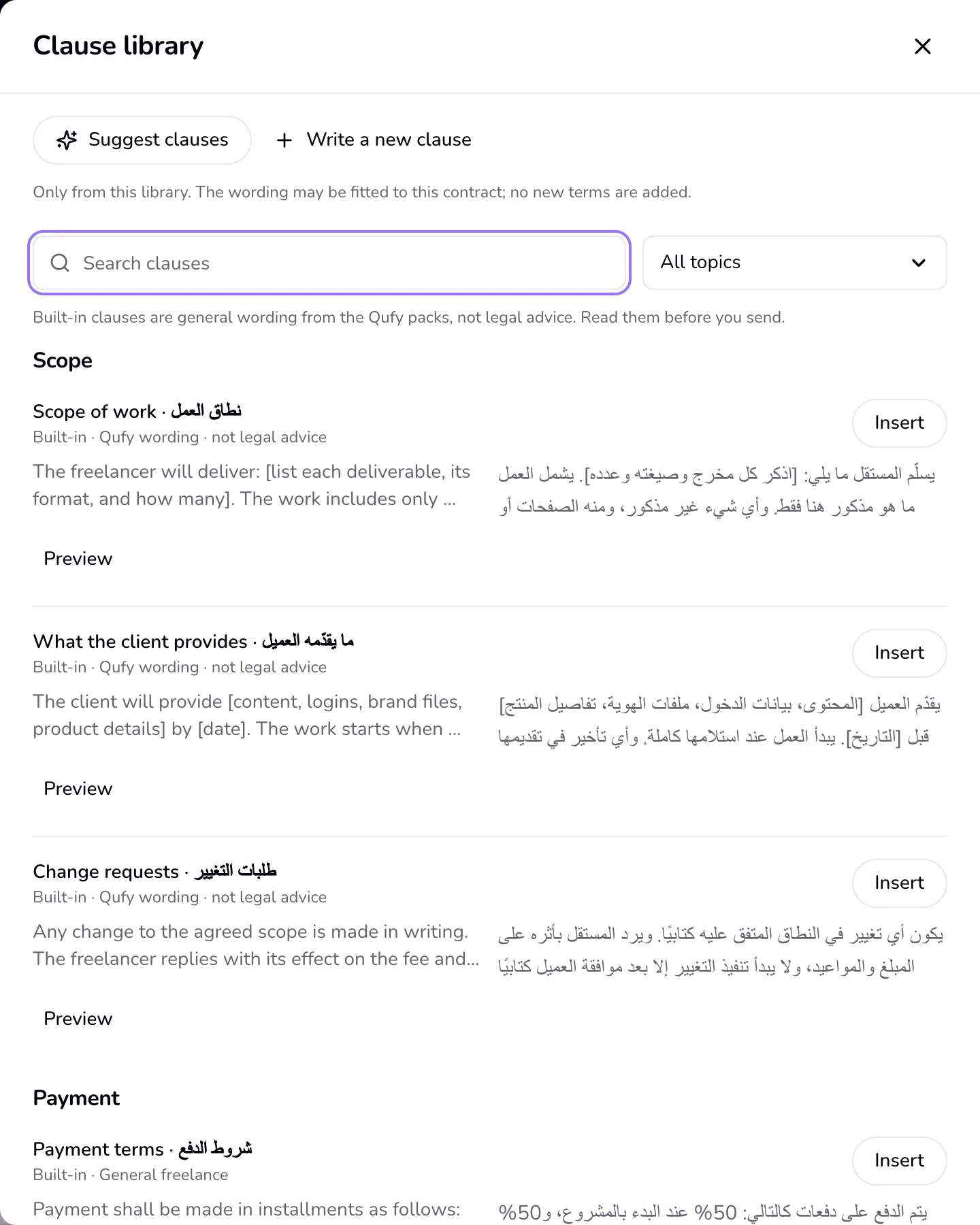
In a contract, in “Contract clauses”, press “Add clause”. The “Clause library” opens.
- 2
Type in “Search clauses”, in English or Arabic, or pick a topic: Scope, Payment, Revisions, Timeline, IP and ownership, Confidentiality, Cancellation, or Liability.
- 3
Press “Preview” to read a clause in full. In a bilingual contract, the English and Arabic text show side by side.
- 4
Press “Insert”. The clause goes at the end of the contract, where you can edit it like any other.
- 5
To keep a clause for later, open its “More” menu in the contract and choose “Save to my clauses”. Check the “Topic” and press “Save clause”. It shows in the library under “My clauses”.
- 6
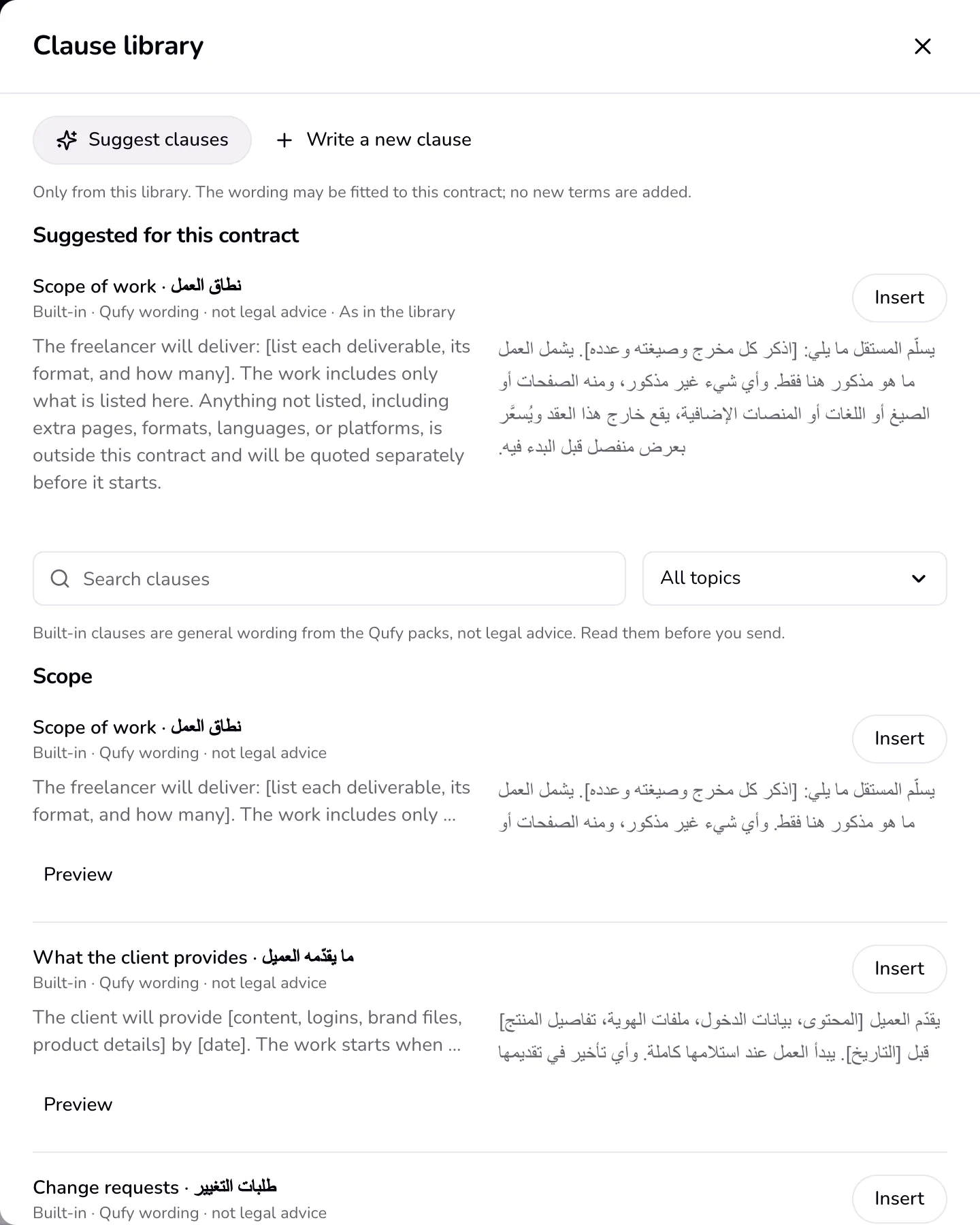
Press “Suggest clauses” for clauses this contract is missing. Each suggestion says where it came from (“My clauses” or a built-in pack) and whether its wording was fitted to this contract.
Good to know
- Built-in clauses come from the contract packs. They are general wording, not legal advice; read them before you send.
- The assistant picks clauses from the library only: yours and the built-in ones. It may fit the wording to the contract, but it never adds a term, a deadline, a percent, or an amount that is not already in the clause or the contract; when it tries, the library's own wording is used.
- When you save a clause, the client's details from that contract are taken out; the clause's own figures stay.
- Delete one of your own clauses from its “More” menu in the library. Contracts that already use it keep their copy.
- Without the AI, “Suggest clauses” lists library clauses for the topics the contract does not cover yet.
Last updated 7 Oct 2026
Was this helpful?