Steps
- 1
Open “Clients” in the sidebar and press “New client”. A panel opens on the side.
- 2
Type the “Client name”. This is the only required field.
- 3
Add the “Client email”, the “Mobile” number, and the “WhatsApp” number if you have them, or tick “Same number for WhatsApp”. “Company”, “Tax ID / Registration Number”, and “Address” fill the To part of new documents for this client.
- 4
Press “Create client”.
- 5
Press the client's row to open their page.
Good to know
- Write phone numbers with + and the country code, for example +20 or +966. Without it you see “Add the country code, starting with +.”
- Each row in Clients shows the email, phone, and number of projects, what the client owes now (the overdue part in red), one button, “New quote”, and “⋯” with “Open”, “Edit”, “New project”, and “New invoice”. The new document starts with the client's details filled in. “Owes you” shows only clients who owe you money.
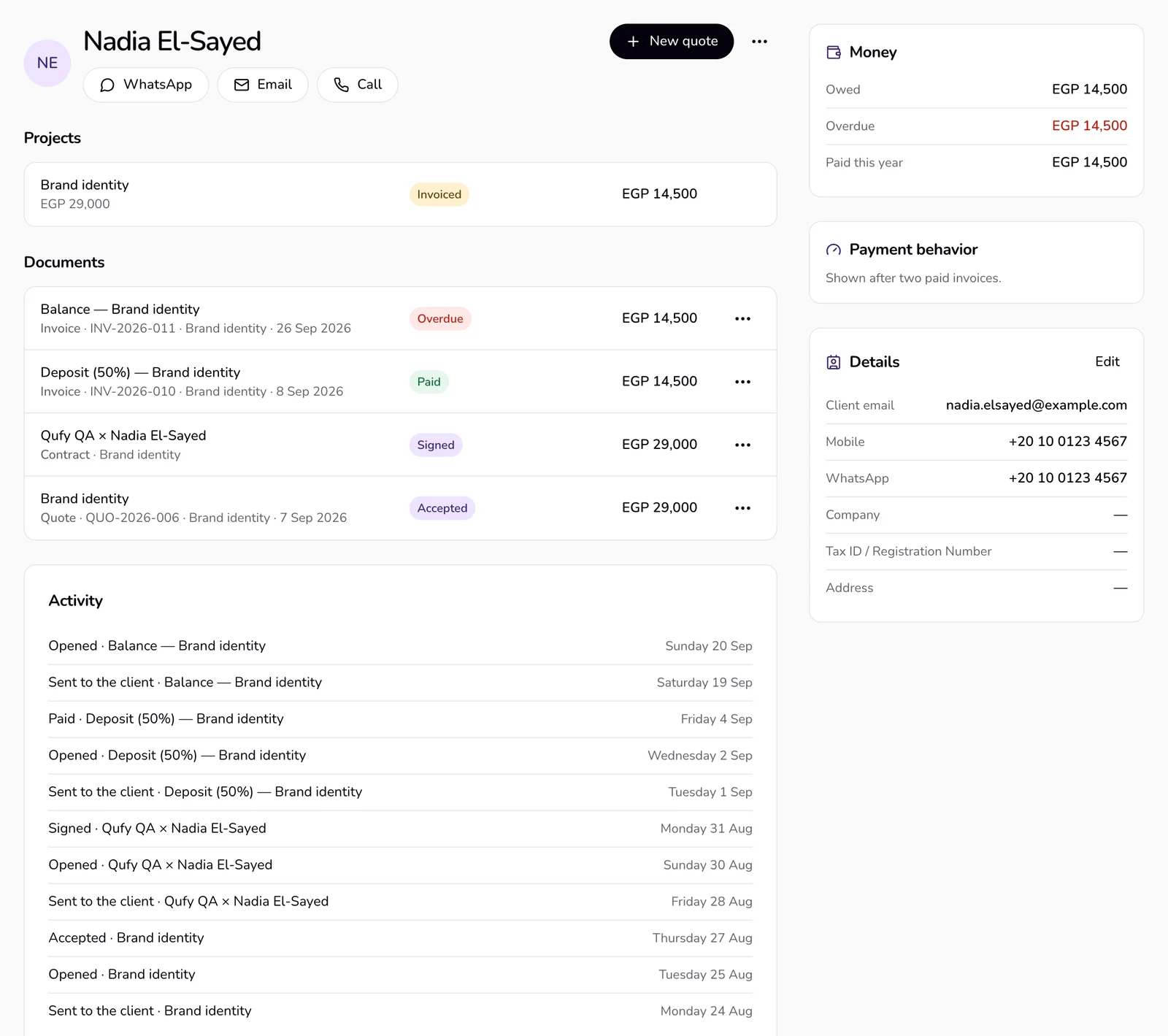
- The client page's side shows “Money” per currency (“Owed”, the overdue part in red, “Paid this year”), “Payment behavior” after two paid invoices (“Average time to pay”, “Paid on time”, “Paid invoices”), and “Details” with “Edit”. Nothing is converted between currencies; archived documents are left out.
- The top of the client page has WhatsApp, email, and call, “New quote”, and “⋯” with “Edit”, “New project”, and “New invoice”. Below are the client's projects, documents, and activity.
- “Delete” appears in a client's “⋯” only while the client has no documents. Their projects stay, without the client.
If something goes wrong
- “Could not save. Try again.”
- Check your connection and press “Create client” again.
- “This client has documents, so they can't be deleted.”
- Keep the client. Their documents stay linked to them.
Last updated 6 Oct 2026
Was this helpful?