Steps
- 1
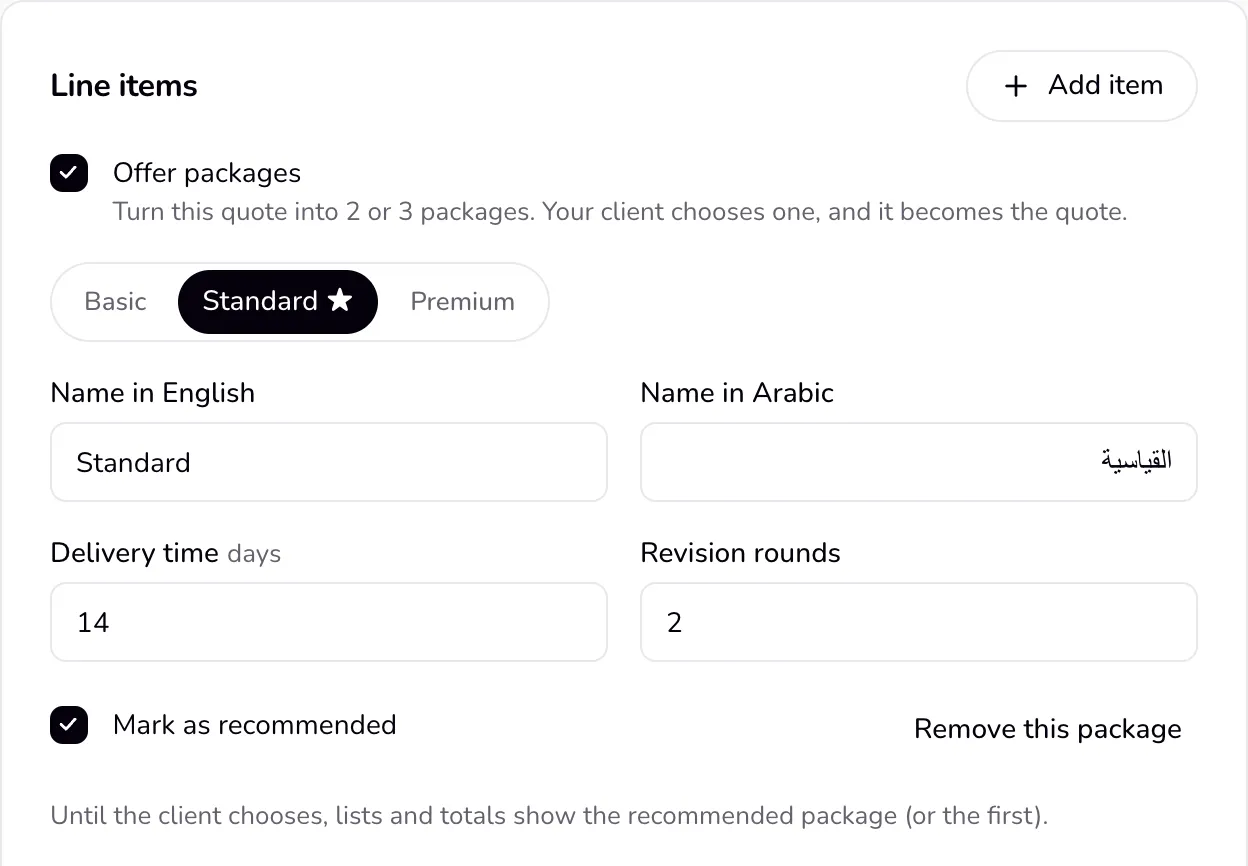
In a quote, under “Line items”, tick “Offer packages”. Three packages start from your lines: Basic, Standard, and Premium. Or choose “3 packages · Graphic designer” (or your profession) in “Start from a template” for a ready example without prices.
- 2
Open each package and set its name in English and Arabic, its delivery time, its revision rounds, and its lines and prices. Tick “Mark as recommended” on the one you suggest. Use “Add a package” or “Remove this package” for 2 or 3.
- 3
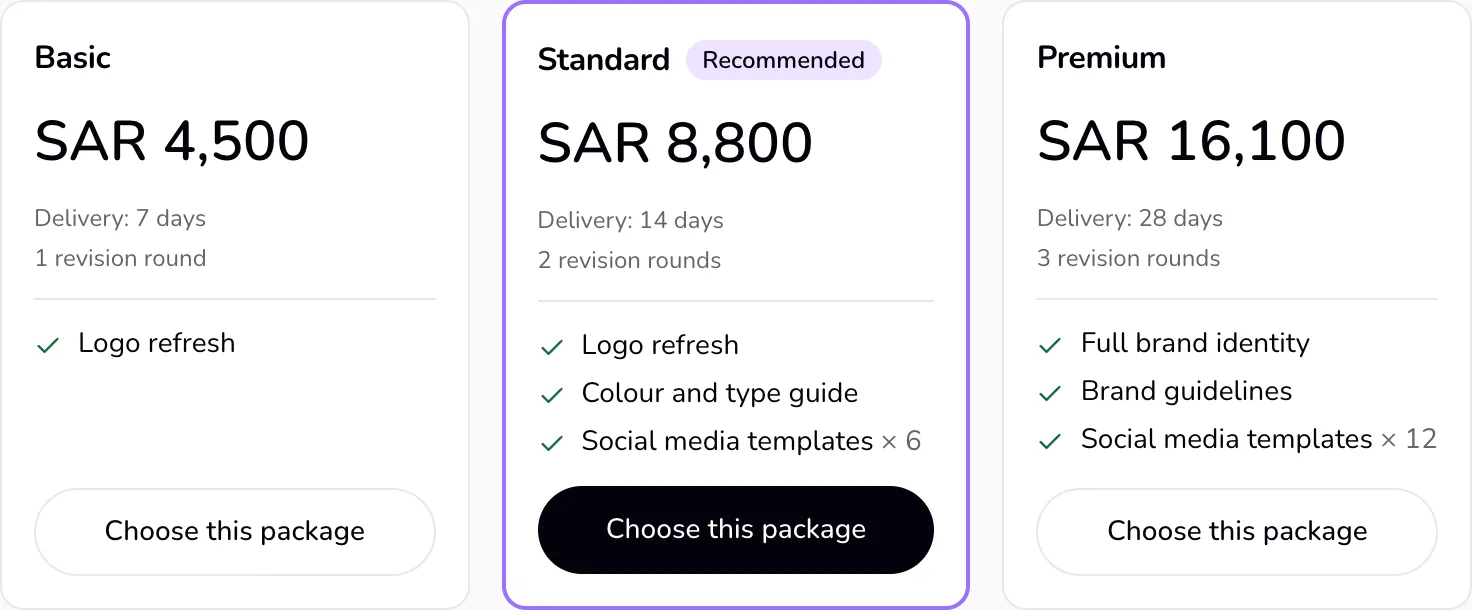
Send the quote as usual. The client page shows the packages side by side (one under the other on a phone), the recommended one highlighted, each with “Choose this package”.
- 4
When the client chooses one, the quote is accepted with that package's lines and total, and you are told which one. The client can still decline instead, or leave a comment if you allowed comments.
Good to know
- After the choice everything follows the chosen package: the quote shows only it, the contract you create from the quote takes its total, revision rounds, and delivery time (as the end date), and the deposit and balance invoices and the project's agreed total use its total. The other packages stay in the quote's history.
- The client can choose only once. Only the client chooses; your edits to the quote cannot change the choice.
- Before the choice, the PDF shows the packages in a comparison table; after it, only the chosen package. Lists and totals in Qufy show the recommended package (or the first) until the client chooses.
- If you share your rates with the Qufy rate index, the sample is the chosen package's total, marked as a package quote, recorded when the client chooses.
Last updated 8 Oct 2026
Was this helpful?