Steps
- 1
Press the search field in the top bar (“Clients, projects, documents”), or press ⌘K on a Mac or Ctrl+K on Windows. On a phone, press the magnifier.
- 2
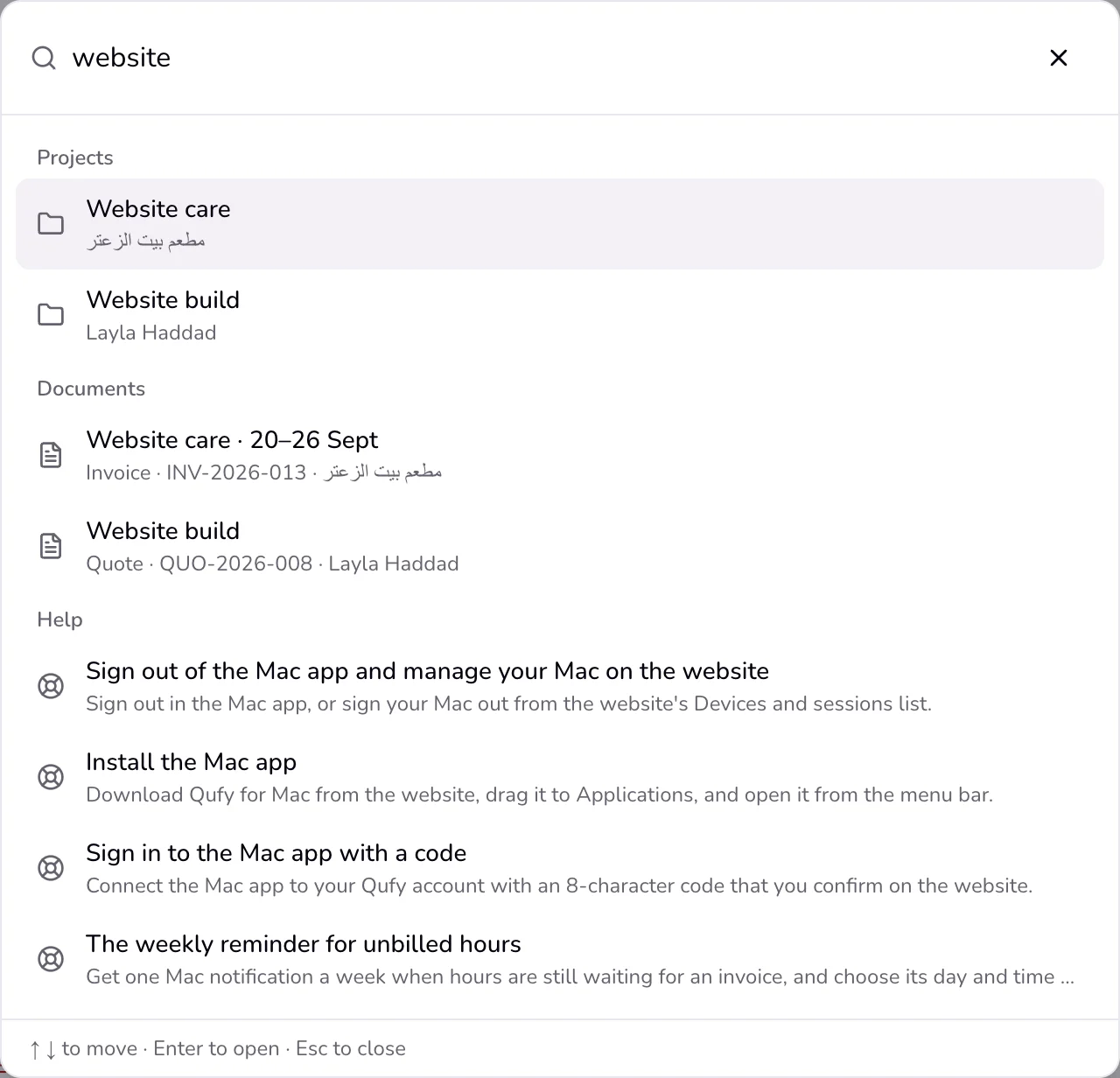
Type a few letters. Results come in groups: “Clients”, “Projects”, “Documents”, and “Help”. Before you type, “Recent” shows what you opened last.
- 3
Move with ↑ and ↓ and press Enter to open, or press a result. Press Esc to close.
- 4
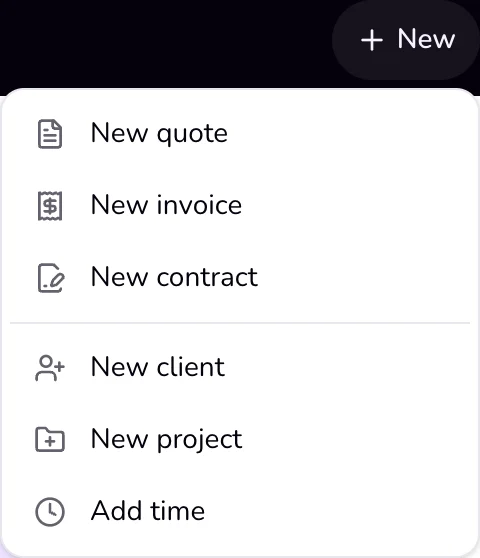
To start something new, press “New” in the top bar.
- 5
Choose “New quote”, “New invoice”, “New contract”, “New client”, “New project”, or “Add time”.
Good to know
- Search matches every word you type, ignores capital letters and Arabic diacritics, and treats the forms of alef, ya, and ta marbuta as the same, so a search for فاتوره finds فاتورة.
- A document that belongs to a project opens its project page. A help result opens the article.
- “Recent” is kept in this browser only.
- “New client”, “New project”, and “Add time” open their page with the form ready; the quote, invoice, and contract open their editor.
Last updated 6 Oct 2026
Was this helpful?