Steps
- 1
Open the ZATCA page from “ZATCA” in the site footer.
- 2
Under “Does this apply to you?”, choose “I send PDFs to clients” or “I am VAT-registered in KSA”.
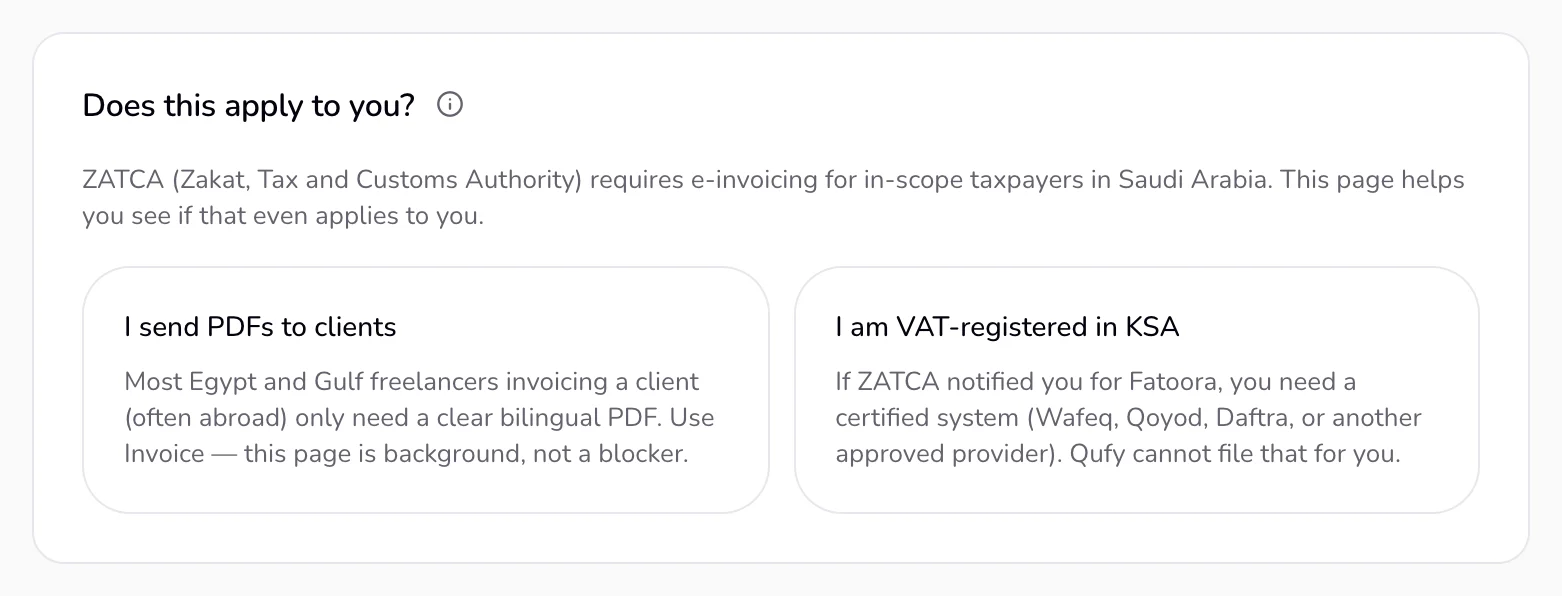
- 3
If you send PDFs to clients, press “Open Invoice” and make your invoice as usual.
- 4
If you are VAT-registered in Saudi Arabia, tick only what is true for you in the checklist.
- 5
Read “What to do next”.
- 6
Optional: to hear from us only if a real ZATCA integration exists, enter your email under “Want a certified ZATCA module later?” and press “Join the waitlist”.
Good to know
- “A Qufy invoice PDF is a document you send a client. It is not a ZATCA e-invoice, not XML, and not a Phase 1 QR tax invoice.” It is not an ETA e-invoice in Egypt either.
- Qufy does not file, stamp, or send invoices to ZATCA or to Egypt's ETA.
- ZATCA's e-invoicing (Fatoora) applies to VAT-registered taxpayers in Saudi Arabia in two phases. Phase 1 covers generating and storing invoices electronically. Phase 2, rolled out in waves, adds XML, a cryptographic stamp, and integration with ZATCA for taxpayers ZATCA notifies.
- If Fatoora applies to you, you need a ZATCA-approved e-invoicing system. Confirm your case with a tax professional and zatca.gov.sa.
- The checklist is for learning only. Your ticks are kept in this browser, and “Checking boxes here does not make you compliant.”
- Egypt's ETA e-invoicing and the UAE's e-invoicing timeline are separate from this Saudi checklist.
If something goes wrong
- “This email is already on the ZATCA list.”
- You are already on the list. There is nothing else to do.
Last updated 3 Oct 2026
Was this helpful?