Before you start
- The project needs an hourly rate. Without one you see "Set an hourly rate before starting."
Steps
- 1
On the Timer page, press "Start · {project}". Qufy starts the last project you used, if it still exists and has a rate. If not, the project list opens; pick one.
- 2
Type what you are working on in "What are you working on?" (up to 200 characters). It saves by itself.
- 3
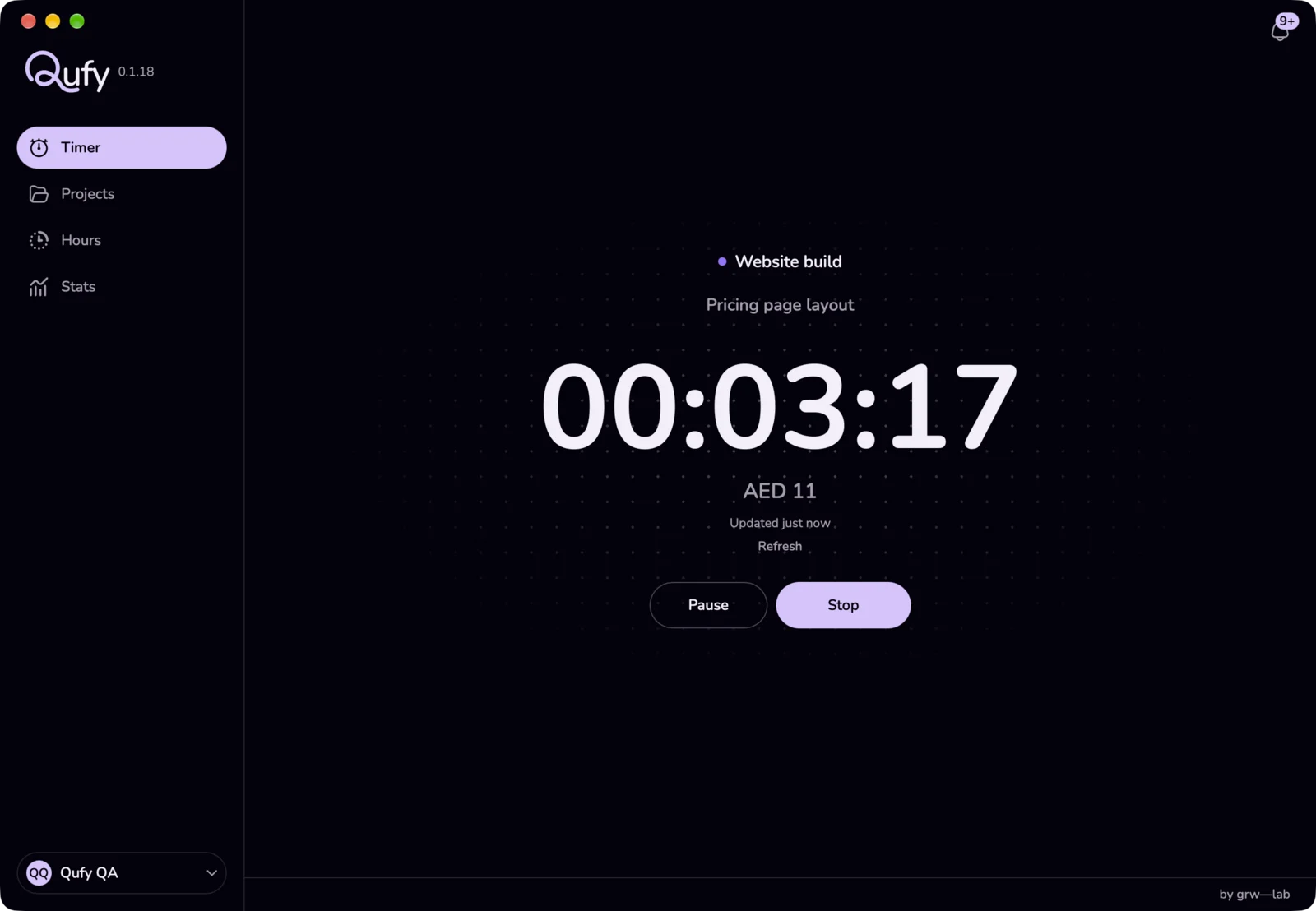
Press "Pause" for a break. Press "Resume" to carry on.
- 4
Press "Stop" when you finish. The session is saved on the project.
- 5
If you did not write a note, type one in "Add a note". The field stays for 8 seconds, and typing keeps it open.
Good to know
- You can also start and stop from the menu-bar panel, the quick timer at the bottom of the sidebar, the shortcut Control+Option+T, or a widget.
- Qufy runs one timer at a time, shared between the website and the Mac app. A second start is refused while one is running.
- Paused time is not counted and not billed. The money shown uses the project's rate from the moment you start.
- Stop saves the session only if it has at least 1 minute of worked time. Shorter sessions are deleted, and while the timer is under a minute the window shows "Under a minute is not saved."
- Stopping does not create an invoice. Use "Invoice hours" on the Projects page, or "Invoice this week" on the Stats page or in the menu-bar panel, when you are ready.
- Time away: "Ask about time away after 15 minutes" is on by default in Settings, under "Timer". It only watches a session this Mac started; a timer started on the website or another device is never touched. After 15 minutes with no keyboard or mouse, the timer keeps running. When you come back, the app asks once, in the window, the panel, and a notification titled "Welcome back": "You were away for {minutes} minutes. Keep this time or remove it?" "Keep" changes nothing. "Remove" ends the session at the moment you left and starts a new one on the same project. If you do not answer, nothing is removed. It does not apply while the timer is paused.
- Break reminder: "Remind me to take a break every" (Off, 30, 45, 60 or 90 min; 60 by default), under "Timer", sends a notification such as "You've worked 60 minutes straight" each time that much work time passes. Paused time does not count.
If something goes wrong
- “Set an hourly rate before starting.”
- Open Projects, press "Set a rate" on the project, save, then start again.
- “You were away for {minutes} minutes. Keep this time or remove it?”
- Press "Keep" if you were working away from the keyboard, or "Remove" to end the session when you left and start a new one now. To stop the question, turn off "Ask about time away after 15 minutes" in Settings.
- “The note didn't save yet. Qufy will try again.”
- Usually the connection dropped. Leave the note as it is; Qufy saves it again, and also when you press "Stop".
Last updated 6 Oct 2026
Was this helpful?